Ipe Drawing & Presentation Guide
Ipe is an extensible vector graphics editor that natively renders LaTeX text and equations. It is widely used in our research group for creating publication-quality figures, academic posters, and conference presentation slides.
🎨 Templates & Tutorials
- 📄 Presentation Templates (ZIP) – Group-styled slide templates.
- 🖼️ Poster Template (ZIP) – Academic poster layout template.
- 🎓 Ipe Tutorial Slides (PDF) – Introductory tutorial slides by Soeren Terziadis.
- 🌐 Eindhoven Ipe Tricks – Collection of tips and tricks by the AGA group (TU Eindhoven).
🧩 Recommended Ipelets (Plugins)
Ipelets are Lua/C++ extensions that add powerful capabilities to Ipe. Install them by placing the .lua file in your local Ipelet directory (Help $\rightarrow$ Show configuration).
- Presentation Ipelet – Creates Beamer-style boxes and presentation structures.
- Decorator Ipelet – Provides decorative boxes and card containers for posters.
- Pagenumbers Ipelet – Custom slide and page numbering.
- Graph Ipelet – Drag and edit graph vertices while keeping connecting edges attached (Graph Mode: Ctrl+E).
- Graph Drawing (TikZ) Ipelet – Automated graph drawing via TikZ algorithms.
- Ipetools – CLI converters for SVG, PDF, and FIG to Ipe format.
🎨 Color Palettes & Utilities
- 🐍 Colors for Ipe (Python Script) – Script to generate Ipe
.isystyle sheets from ColorBrewer and iWantHue palettes.
💡 Pro-Tips & Techniques
Selection Behavior
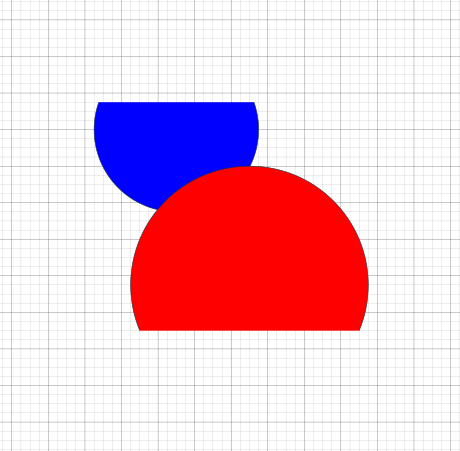
- Top-left to bottom-right: Selects an object only if its entire bounding box is inside the rectangle.
- Bottom-right to top-left: Selects any object whose bounding box intersects the selection rectangle.
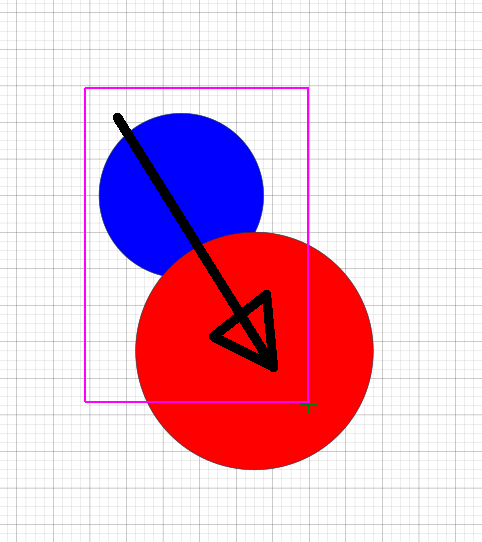
Top-left to bottom-right (selects blue circle)
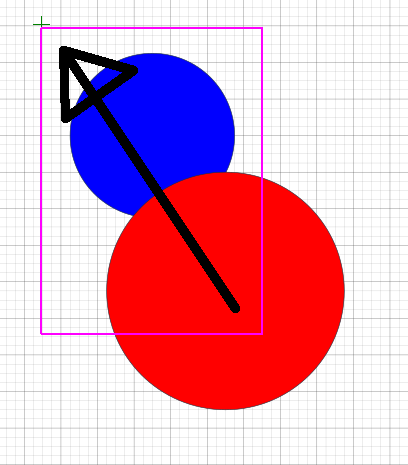
Bottom-right to top-left (selects both)
Clipping Paths
To mask a figure or photo:
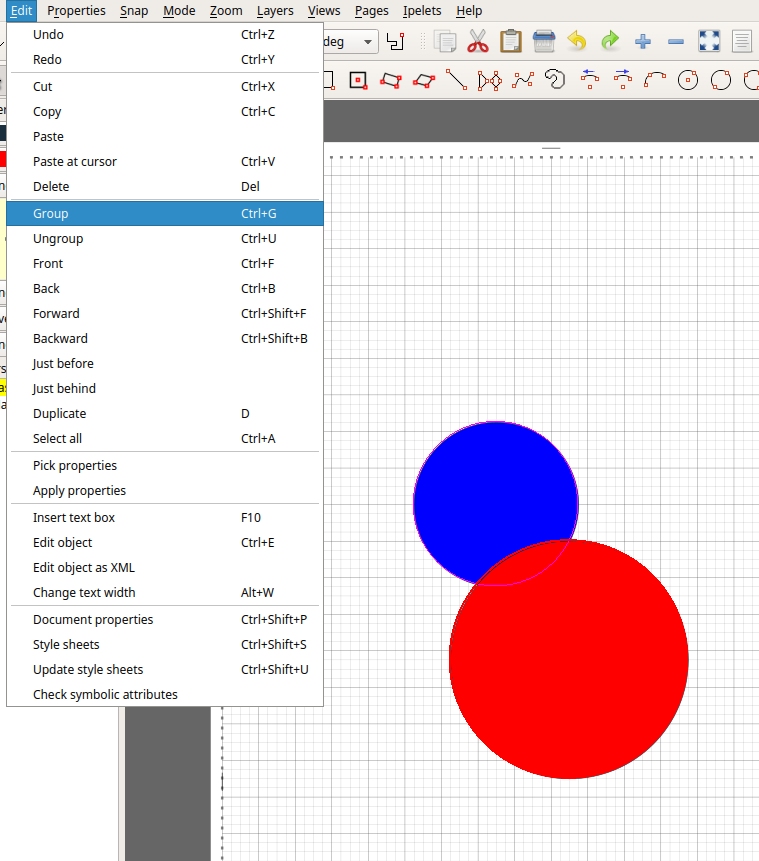
- Group your objects (Ctrl+G).
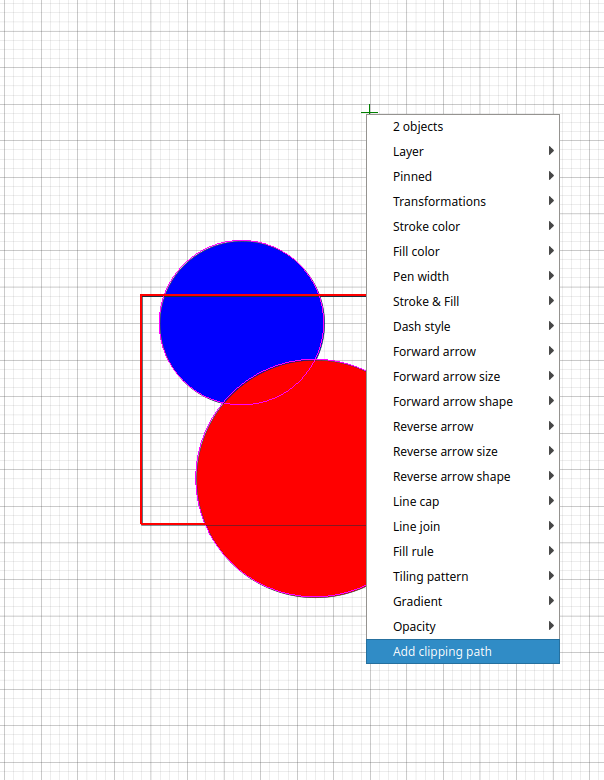
- Draw a rectangle (or polygon) over the grouped object.
- Select both and choose Add Clipping Path from the context menu.
Angular Snap
Press F1 to place an angular origin (green star) at your cursor. When Angular Snap is enabled, drawing will snap to predefined angles relative to this origin. Rotate with F2, reset with Ctrl+F2, and hide with Ctrl+F1.

AC Admin
Website maintainer